AI transcription Chrome extension and web app for Audiotextify
A solo founder came to me with an idea and a logo, a Chrome extension that turns any audio or video into a transcript, then into summaries, translations, posts and articles. I designed and built it on FFmpeg and OpenAI's models, solved a clash between FFmpeg and Stripe that nobody online could answer, and it launched with paying subscribers.
- Client
- Audiotextify
- Sector
- Transcription, Generative AI
- Scope
- Product DesignBrandingChrome Extension DevelopmentWeb App DevelopmentAI IntegrationSpeech to Text
- Technologies
- FigmaNext.jsVercelSupabaseStripeFFmpegWebAssembly
- Models
- whisper-1gpt-3.5-turbo
Background
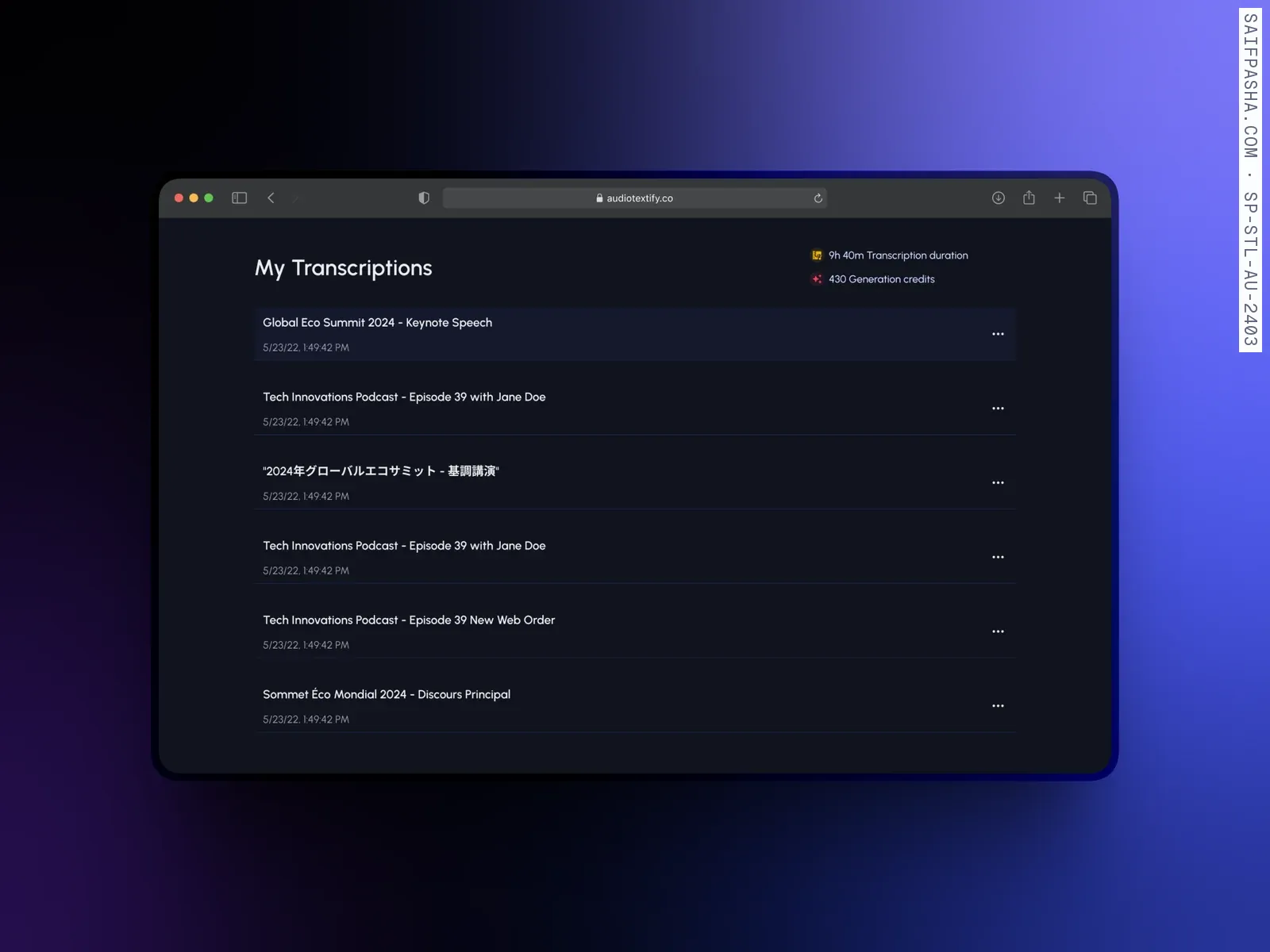
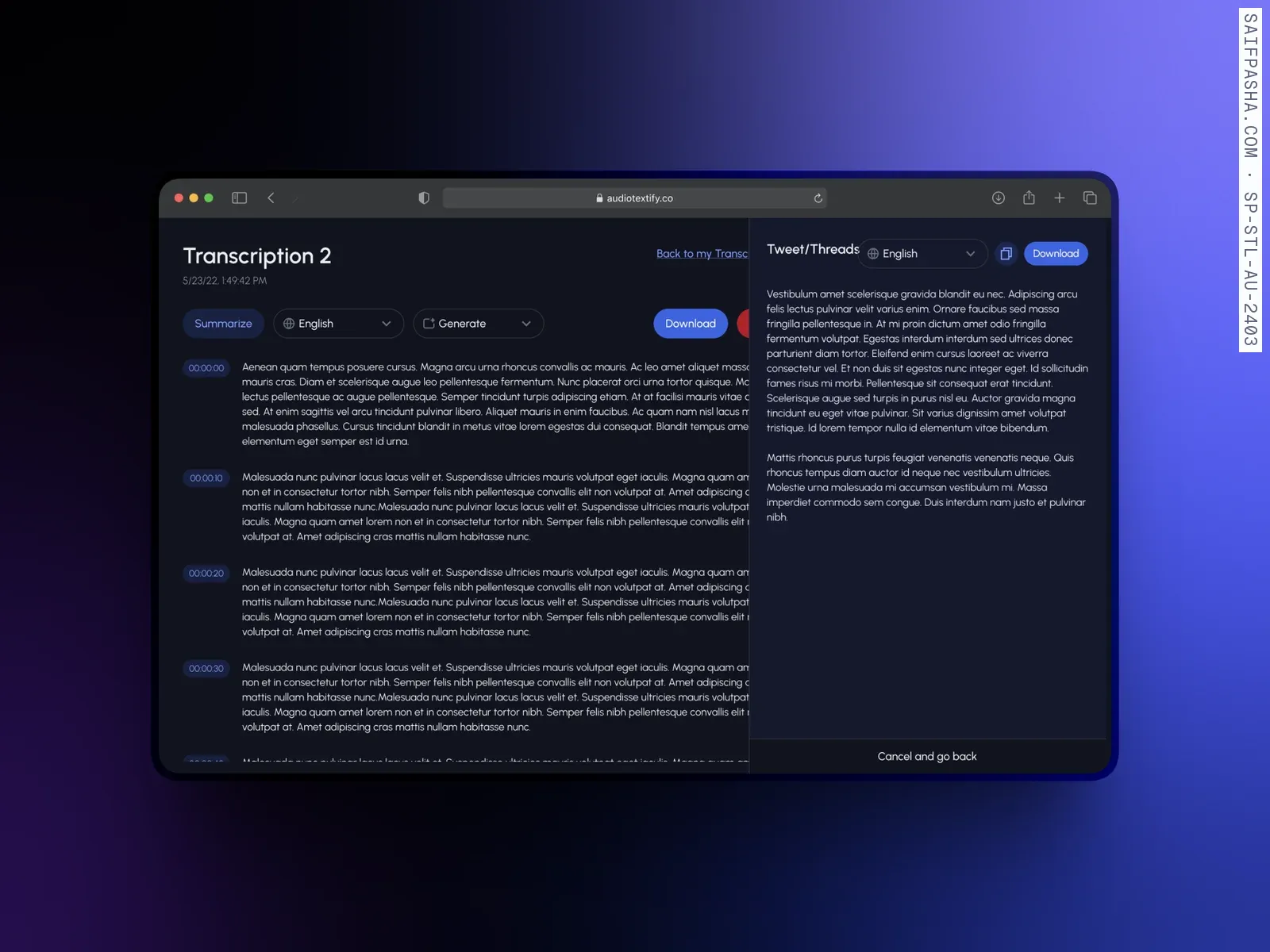
Audiotextify turns any audio or video into text you can use. Drop in a recording and it comes back as a transcript, ready to summarise, translate or turn into a tweet, a thread, an article, a presentation or a memo.
Its founder came to me with an idea, a logo and two documents, one describing the product and one setting out how it would earn, free to start with paid plans above. This was back when ChatGPT wasn't much help yet, and there were no coding agents at all. I liked the idea straight away, so I built the brand around his logo, designed every screen and got to work.

The extension and the web app
He was paying for all of it himself, so it had to cost as little as possible to run. The easy route was a ready-made transcription service, but the good ones were expensive and the cheap ones were unreliable, each with quirks of its own. So I built straight on the models, Whisper to transcribe and GPT to write everything made from the transcript.
I built it the way I build every extension. The extension is a shell, and everything that matters, the sign-in, the transcripts and the payments, lives behind it in a web app where it's safe. The web app held the plans, a credits system for transcription time and generations, and the subscriptions, through Stripe.
From the start I wanted FFmpeg underneath it. Whisper only takes a handful of formats, up to a set size, and most transcription tools on the market took MP4 and the other usual formats and stopped there. FFmpeg reads almost anything, so with it Audiotextify could take audio and video in formats nobody else bothered with.
How the extension and the web app fit together
The problem: FFmpeg against Stripe
Then I ran into the problem that took the most out of the project. FFmpeg in the browser needs shared memory, and the browser only allows that on a page isolated by two security headers. With the headers on, FFmpeg worked and Stripe's checkout wouldn't load. With them off, Stripe worked and FFmpeg didn't.
The hardest part was working out what the problem even was. It played out like a riddle. Whenever Stripe broke I went through Stripe, its webhooks and its integration, and whenever FFmpeg broke I went back into the FFmpeg code. I audited Stripe line by line, checked every setting in its dashboard and every environment variable ten times over, until I was certain the code was fine. If each half worked whenever the other didn't, something outside them both was getting in the way.
I had a hunch it was security, so I went to the headers and tried every combination I could think of, narrowing it down until it came to one, the Cross-Origin-Embedder-Policy. Over that week ChatGPT gave me more suggestions than I could count, and every one was something I'd already tried or something it had made up, until all it had left was to tell me to contact Stripe's support. My question on Stack Overflow got no answer either. So I asked Stripe's own developers on their Discord, and they confirmed it. Stripe's checkout didn't support that header, and they had no date for when it would.
Why FFmpeg and Stripe couldn't share a page
What I built
So I split it in two. FFmpeg went to a deployment of its own, served with the headers it needed, and the main site kept Stripe and never sent them. When someone drops a file into the extension, it opens a small window on the FFmpeg deployment and passes their sign-in along, so only signed-in users can upload. When the transcript is ready, it opens on the main site.
With the clash fixed, the speed went wrong. Once it was live, transcription crawled, and moving it to a bigger server made it faster but far too costly to run while it was still in testing. What fixed it was FFmpeg itself. Inside that small window, on the user's own computer, it strips out any video, mixes the sound down to one channel and compresses it for speech. An hour of audio leaves the user's computer as about 5 MB, small enough for Whisper to take in one go, so the servers only ever see a small file. The founder set the ceiling at 500 MB and an hour, and on a test of my own it took a film of more than 2 GB, 48 minutes and 17 seconds long, and had its transcript back in under two and a half minutes.
I answered my own Stack Overflow question with the fix, so the next person stuck there would find it. The pipeline also became the base I built on later for NiggleAI, in Classway and NiggleAI.
How a file becomes a transcript
The result
When the founder tried it, he wanted his articles in French, so I made every kind of post and article work in whichever language you picked.
It's what I want. Perfect Saif
Audiotextify launched on the Chrome Web Store with its web app, Stripe went live, and it had paying subscribers. A founder who came with an idea and a logo had a product that took audio and video in almost any format and turned it into whatever he needed, in the language he chose.
Saif listens, responds quickly and gives everything he has to his mission.
Written by Saif Pasha. Built with my team at Silverthread Labs. © 2026 Saif Pasha and Silverthread Labs. Ref. SP-STL-AU-2403
saif@silverthreadlabs.com