Self-custody crypto wallet UX and UI design for Chia Network
Chia's original wallet had to download and sync the blockchain before it could make a single transaction, so Chia set out to build a Cloud Wallet that runs in the browser. I turned its abstract flows and the quirks of its blockchain into flows anyone could follow, then designed every screen on design tokens that carried a full rebrand.
- Client
- Chia Network
- Sector
- Blockchain, Digital Assets
- Scope
- Product DesignUX/UI DesignDesign SystemsResponsive DesignPrototypingTest Automation
- Technologies
- FigmaWebAuthnPlaywright
Background
Chia is the company Bram Cohen started after inventing BitTorrent. Its original wallet, the reference wallet, runs on your own computer, and it has to be downloaded and fully synced with the chain before you can make a single transaction, which can take any amount of time. The rest of the world had long since moved to cloud wallets.
Chia had first come to me to design the next version of its Climate Wallet, and it kept coming back with the next project. When I raised the wallet problem with Chia's COO, he showed me that a cloud wallet was already in the works, and asked me to help his team move it forward. Chia would run the nodes itself, so the wallet would always be synced, and anyone could hold their own keys from a browser and sign with a passkey on the device they already had. It was planned in tiers, from a free wallet for sending and receiving up to an enterprise tier with organisations, roles and the tokens Chia had built for others as separate niche apps, from carbon credits to private equity.
There was no design specification to work from. Chia's engineers had an early build with the bare screens it took to make a vault, send and sign, and beside it I had a list of features, screenshots of a signer app that wasn't public yet, a flowchart of how recovery should go, and calls with Chia's product team. Within a few weeks I'd turned that into a prototype of the whole product.
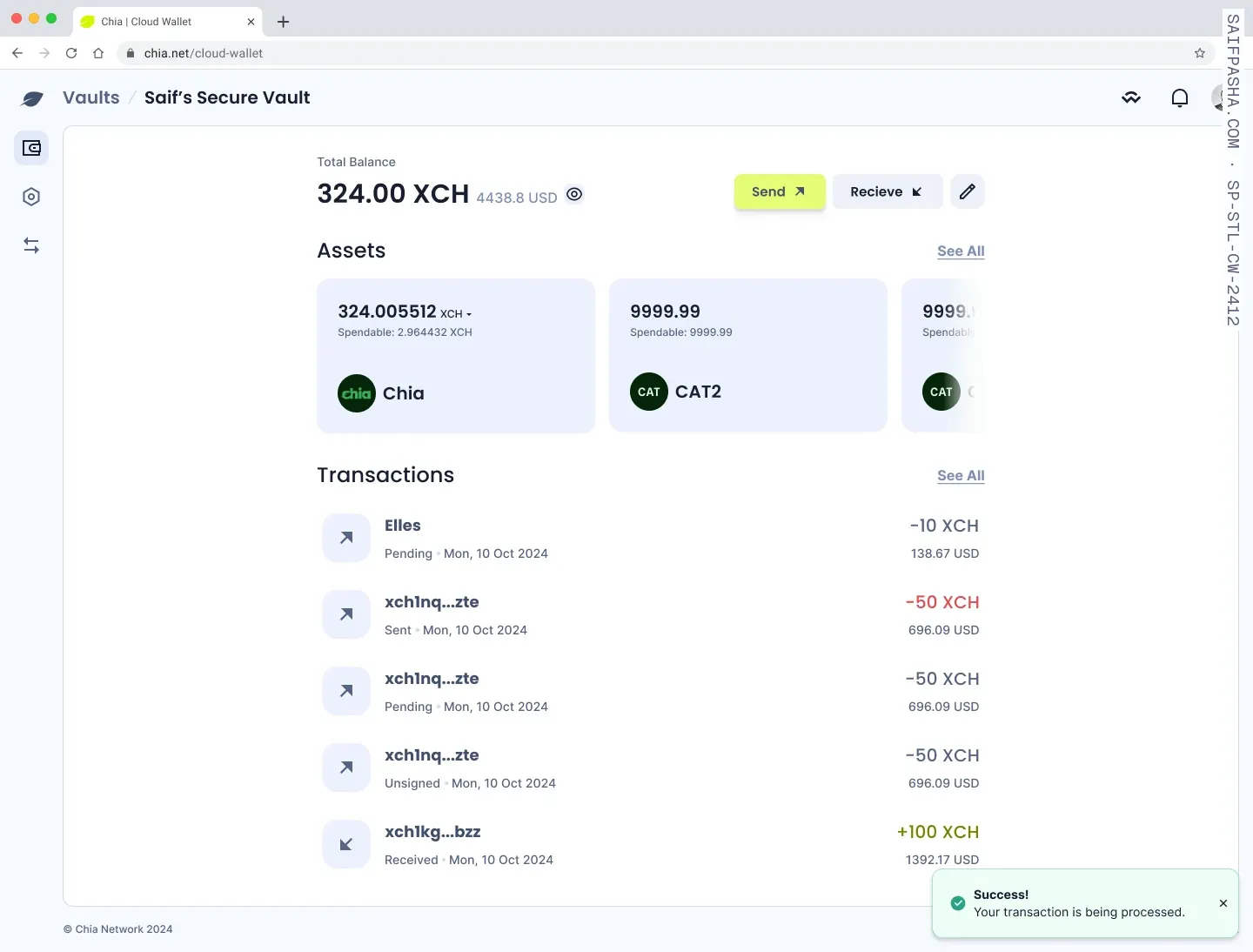
The problem: a blockchain in flows anyone could follow
The hard part was never the screens. Chia's flows were abstract, written in the chain's own terms, and the chain had quirks no other wallet asks its owner to think about. A vault isn't an account but a singleton, a coin that recreates itself every time it's spent, so even creating one is a transaction that has to confirm. It has two keys with different jobs, a custody key for everyday spending and a recovery key that exists only to get back in, and either could be a passkey, a key locked in the Secure Enclave of an iPhone running Chia's signer app, or a 24-word phrase. Recovering a vault doesn't restore it but re-keys it, behind a timer that stops someone who has stolen a phrase.
None of that could reach the person holding the wallet as it was. I asked the product team question after question about keys, because even one per cent of confusion there was too much to design on, and worked out, flow by flow, what a person needs to know and decide at each step and what the wallet could work out for them.
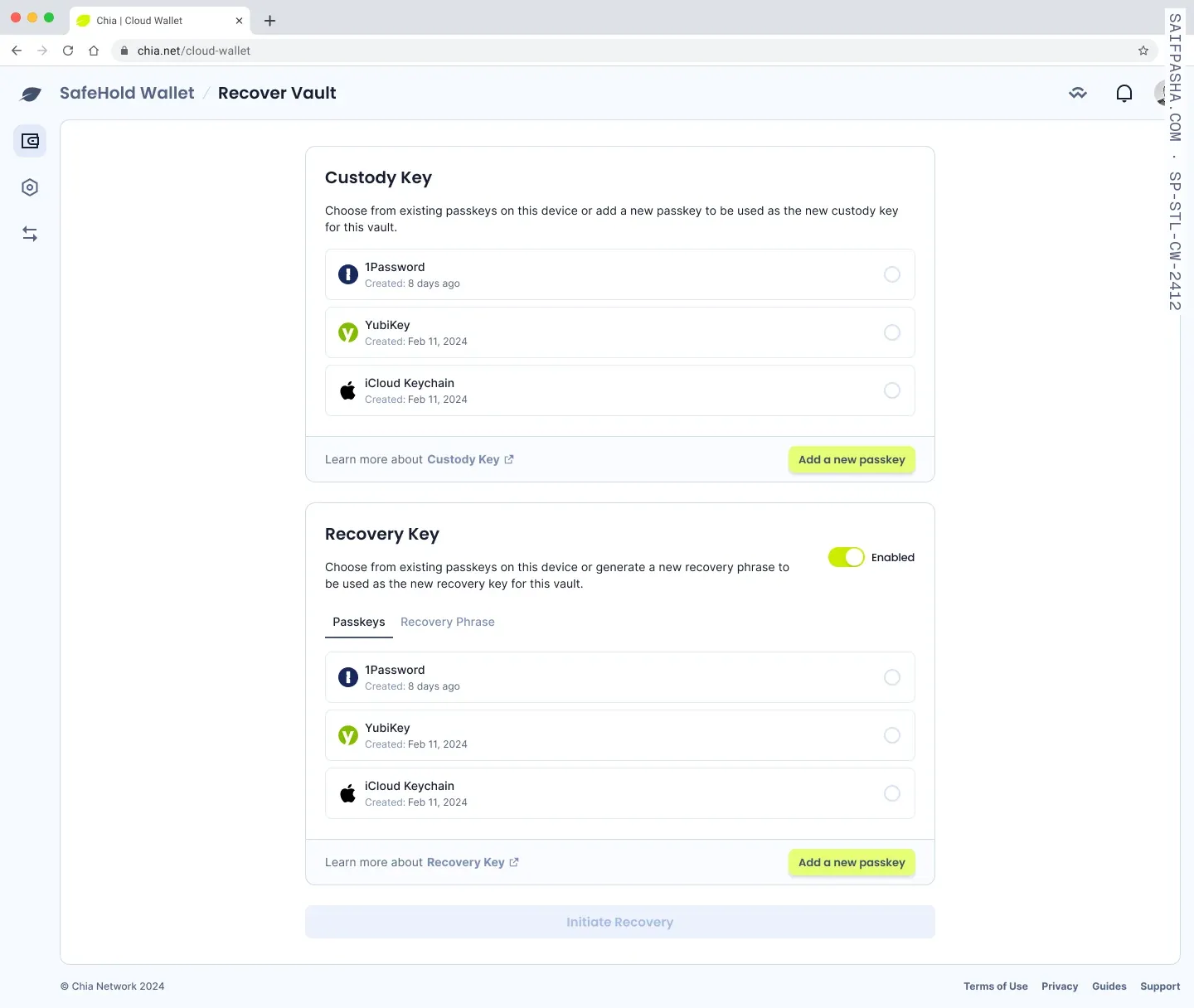
Recovery was the hardest of them. Every pairing of keys worked differently. A passkey opens the browser's own prompt, the signer app needs a QR code scanned with the phone, and a phrase has to be typed in and checked, and each pairing needed its own screens for choosing new keys, confirming, and cancelling before the timer ran out or after, for a vault still in the owner's list and for one they'd removed.
How a Chia vault recovers
What I built
I pinned down the navigation and the look of the whole product first, then worked through it flow by flow, signing up and signing in with a passkey, creating a vault and waiting while it's minted, the tokens and transactions inside it, sending, receiving, offers and the settings.
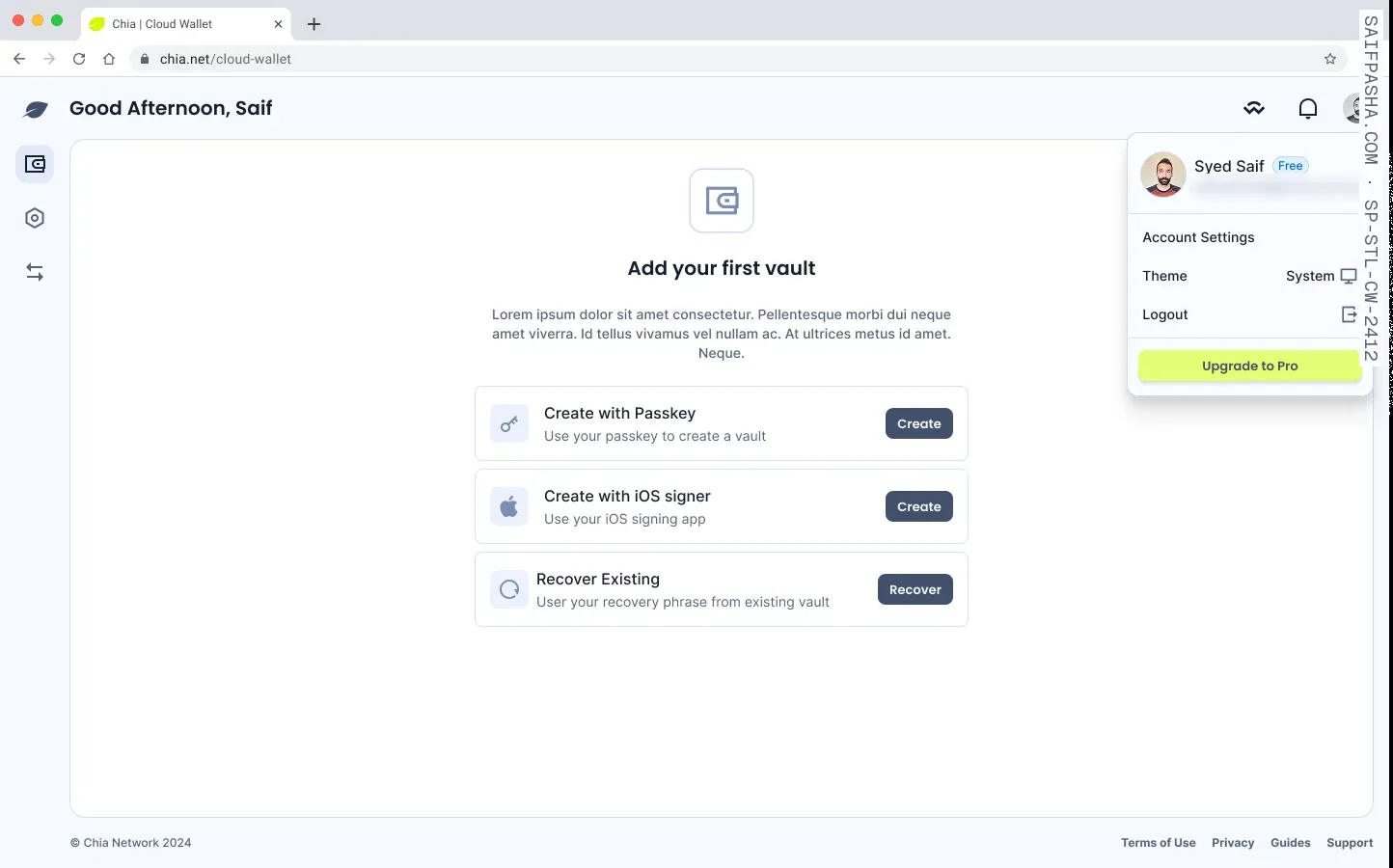
I designed recovery to start from whatever the owner is holding. They choose to recover and give the wallet the key they have, a recovery phrase pasted into any one of the 24 fields, which fills in the rest, a passkey through the browser's prompt or a QR code scanned with the signer app, and the wallet works out which key it is. From there the flow branches into the re-keying screens for that pairing, where the owner picks a new custody key, decides whether to replace the recovery key too, sets the timer for any future recovery and confirms.
While a recovery runs, the vault says so at the top, with the time left, and it can still receive funds. Cancelling asks for the custody key, the one a thief with a stolen phrase wouldn't have, and has its own screens for before the timer ends and after. When a recovery starts, the watchtower emails the owner, so they hear about it while there's still time to cancel.
I built the whole design on design tokens, raw colours underneath and named roles on top, with a light mode and a dark mode from the start. So when Chia rebranded from green to yellow and blue to match its new corporate site, and asked whether two hundred screens could change in under two weeks, it took me about two hours. When Chia later asked for a dark theme, it started from the tokens' dark mode, and I laid every screen out again for phones.
How the design tokens carried the rebrand
The result
Every screen and every flow of the Cloud Wallet began as my design, and Chia's own team built it. Once they were building, I wrote a Playwright suite that tested its front end and back end, and my QA team assisted with the automation.
Chia opened the Cloud Wallet to early users on 25 June 2025, with each vault kept by a passkey or the Chia Signer and a 24-word recovery phrase behind it, and to everyone on 29 October 2025. Holding your own keys on Chia now took a browser and a passkey, with no node to download and nothing to sync.
We could only explain the Cloud Wallet in the chain's own terms, and Saif turned it into something anyone could follow. Recovery was the hardest part, and he'd usually thought of the case we hadn't.
Written by Saif Pasha. Built with my team at Silverthread Labs. © 2026 Saif Pasha and Silverthread Labs. Ref. SP-STL-CW-2412
saif@silverthreadlabs.com