AI Chrome extension rebuild and user migration for AI Toolbar
AI Toolbar came to me as a ChatGPT toolbar with tens of thousands of users and paying subscribers. I rebranded it and rebuilt it as an AI assistant on any page, then moved every account to a new platform without a single password reset. After the rebuild it grew past 100,000 users.
- Client
- AI Toolbar
- Sector
- Productivity, Generative AI
- Scope
- Product DesignBrandingChrome Extension DevelopmentWeb App DevelopmentData Migration
- Technologies
- FigmaNext.jswebpackVercelSupabaseStripe
- Models
- gpt-5.4-miniGoogle Speech-to-Text
Background
AI Toolbar puts AI on whatever page you're on. Highlight an email and it drafts the reply, highlight an article and it summarises it, and from a sidebar beside the page it translates, chats and listens to your voice.
When its owner came to me through word of mouth, it was called Ultimate Toolbar. It was a toolbar across the top of ChatGPT that built a prompt from a row of menus, and it already had tens of thousands of users and paying subscribers. He had a vision for something much bigger, an assistant that followed his users onto every other page, and he wanted the toolbar they knew to stay inside ChatGPT.
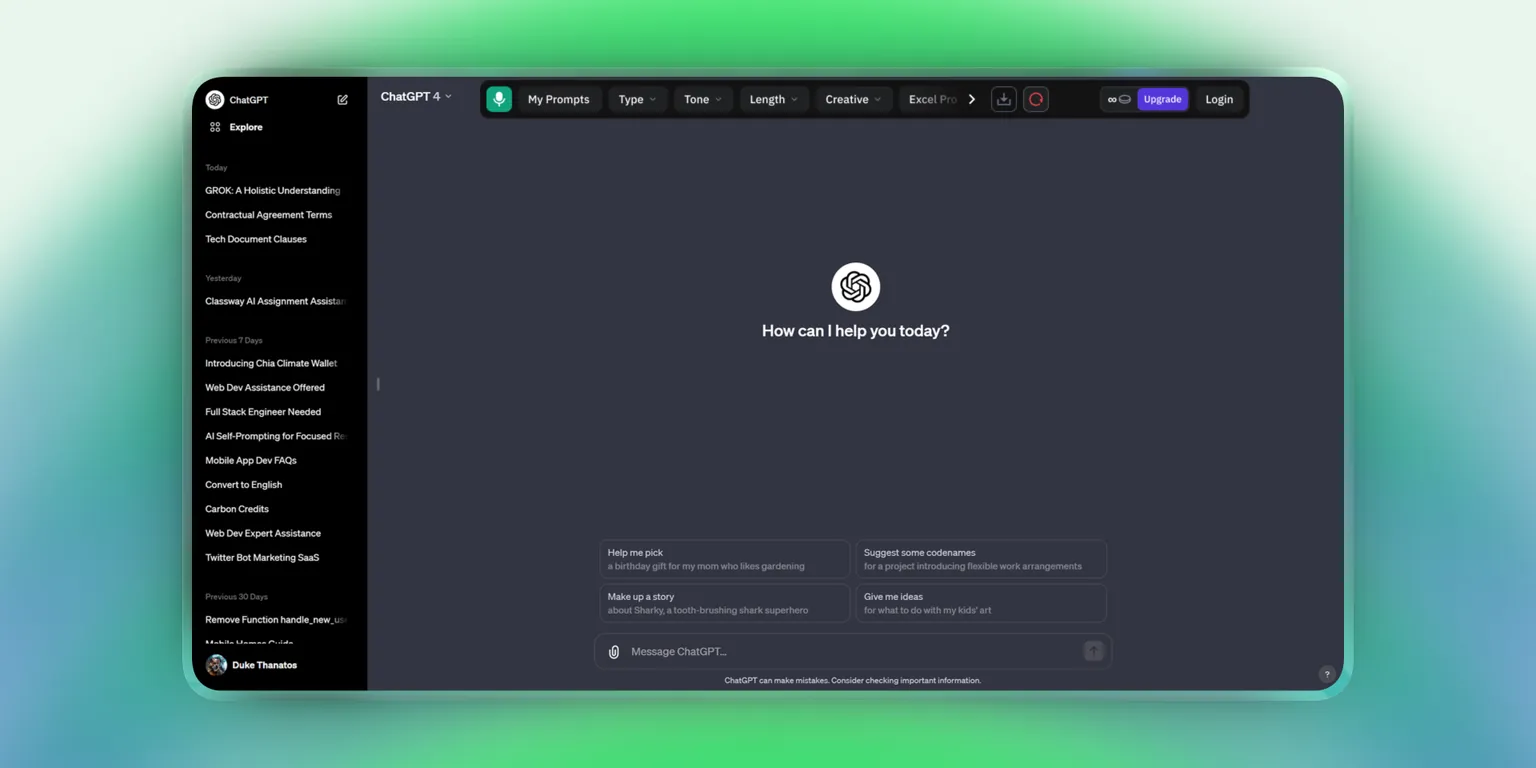
The new AI Toolbar
My team and I took that vision further and reinvented the product from the ground up. I renamed it AI Toolbar, gave it a new brand and designed every screen. Inside ChatGPT the toolbar stayed where its users knew it. On every other page there was a copilot with edge detection. Highlight anything, anywhere on the screen, and it opened right beside it, turning to stay in view near an edge, to reply to, summarise, translate or rewrite it, by voice or by typing. The answers came back in a sidebar on the side of the page.
The copilot and the sidebar had to render on thousands of different websites and hold onto their own styles while every one of those sites' CSS was trying to override them, and getting that right was weeks of work on its own. Behind them sat subscription plans with a free daily allowance, a credits system and an AppSumo integration for lifetime-deal customers, and the whole extension was internationalized, in several languages.
How the extension works
Then there was its owner, a stickler for detail in a way I hadn't experienced before. He wanted pixel perfection, and he meant it literally. If a button was off by a pixel he saw it, and if a sentence of copy didn't sit right with his marketing vocabulary, he'd ask to change a single word. He also worried, constantly, about everything that could possibly go wrong, and he ran every one of those scenarios past me. So while I was building the platform, I was also explaining the nitty-gritty of every decision and talking him down from worst cases that were never going to happen. But I'll give him this, he was a one-man QA army, and after all his rounds and my own testing, the extension and the whole platform were as close to perfect as anything I've shipped.
The problem: thousands of passwords
So by Christmas Eve, in my head, the hard part was done. All that was left was moving the database from MongoDB to Supabase, and I'd budgeted it as the easy part, one day to do it and maybe another to check everything again. A database dump, loaded into the new system, done. I was alone in the office around seven or eight in the evening, planning to wrap it up and get out of there.
And that's when it hit me. The passwords!
I'd been thinking of the users as just another collection to dump, but passwords aren't data you can copy and expect to work. They were hashed, the hashes lived in MongoDB, and Supabase has its own sign-in system with its own table and its own rules. On a project where I'd spent weeks obsessing over pixels and word choice, I'd overlooked that I was about to port the credentials of thousands of people.
What made it worse was that there was no fallback. Thousands of those users were paying subscribers, and there was no way in hell I could tell someone paying every month to reset their password because we'd changed databases. The passwords had to just work on the new platform, as if nothing had changed. I sat there thinking I'd just signed myself up to spend the holidays in my office.
What I built
So I started digging. MongoDB itself had never touched the passwords. The old Node back end hashed each one with bcrypt before saving it, and Supabase stores its own hashes with bcrypt too. That was the first glimmer. If both sides used the same algorithm, maybe this wasn't about rebuilding anything, only about matching the format exactly.
My assumption going in was that I'd need the hash, the salt and the number of rounds carried over separately, all lined up perfectly. But when I studied the bcrypt format, I found all three already packed into one string. The salt isn't stored anywhere else, it travels inside the hash. So if Supabase read the same format, it would pull the salt and the cost out of the string, hash whatever the user typed and compare, without caring who had made the hash in the first place.
I had to prove it. I created a brand-new account on the old app with a password I knew, pulled its hash straight out of the users collection, wrote that exact string into a matching user on the new platform, went to the sign-in screen and typed the same password.
It worked. First try.
I'd worked out the storage format from both ends and found they were byte-for-byte compatible. The thing I'd been dreading as a holiday-eating nightmare was, underneath, a format-matching problem.
From there it was a batch job. A script recreated every user in Supabase with their existing hash and their email already confirmed, and linked each paying subscription in Stripe to its user's new account by the ID it already carried, so no one entered a card again. The new extension's first screen told existing users there was no need to make a new account.
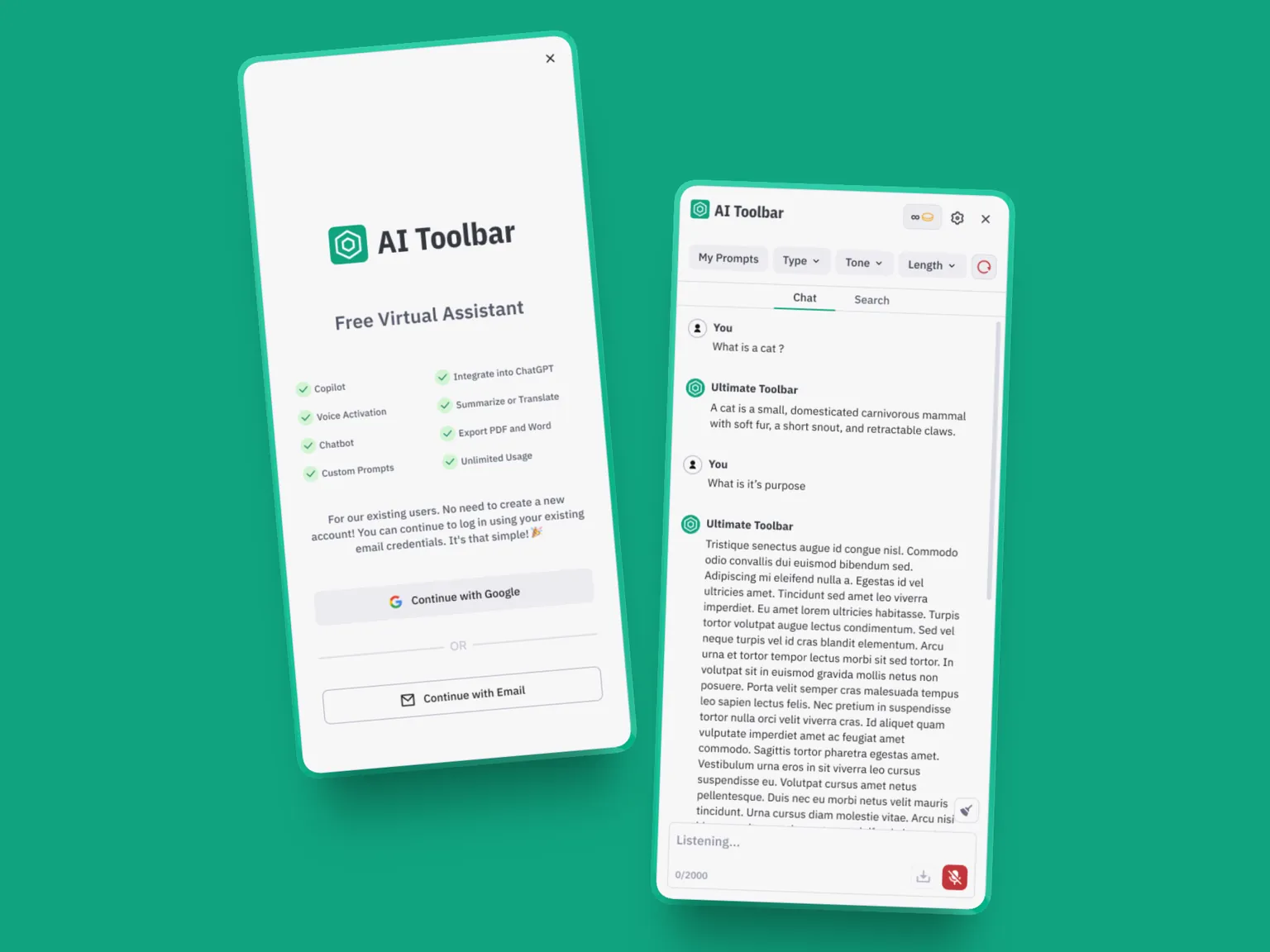
Thousands of users, every paying subscriber among them, moved to the new platform without a single password reset, and none of them ever knew their sign-in had moved. I didn't spend the holidays in the office. Out of everything on that project, the sidebar, the pixel-level back and forth, all of it, that Christmas Eve is still the moment I'm proudest of.
How the passwords moved
The result
After the rebuild AI Toolbar grew past 100,000 users, it has written more than ten million responses, and it earns far more than it did before. Its owner has been my client for more than five years.
Saif is the true definition of not compromising on quality. I own an extension with 83k users, and he helped me rebuild it from scratch and add features that will drastically increase adoption. All done perfectly and with a level of professionalism I have never seen to date.
Written by Saif Pasha. Built with my team at Silverthread Labs. © 2026 Saif Pasha and Silverthread Labs. Ref. SP-STL-AT-2312
saif@silverthreadlabs.com